When an important Outlook email stays in the Outbox, repeatedly pressing Send may create duplicate messages or cause confusion about what the recipient received. Start by checking the exact folder, account and connection, then retry one controlled message.

Check whether the message was actually sent
- Open Outlook and select the account you used.
- Look in Outbox, Drafts and Sent Items.
- Check whether the email has a visible sending error or appears in Sent Items.
- If it has already arrived, avoid resending it.
Outlook has multiple versions: new Outlook for Windows, classic Outlook, Outlook on the web and mobile apps. Buttons and menus differ. Use the steps that match your version.
1. Confirm internet access
Open a trusted website. If the internet is down, fix that first. If the network is connected but websites do not load, use our Wi-Fi connected but no internet test to separate the computer from the router or ISP.
2. Check offline or disconnected status
In classic Outlook, look for a Work Offline setting and a status such as Disconnected. Turn off Work Offline only if you deliberately want Outlook to send. In new Outlook or Outlook on the web, the interface differs; check the account’s connection and any sync warnings instead.
3. Inspect large attachments
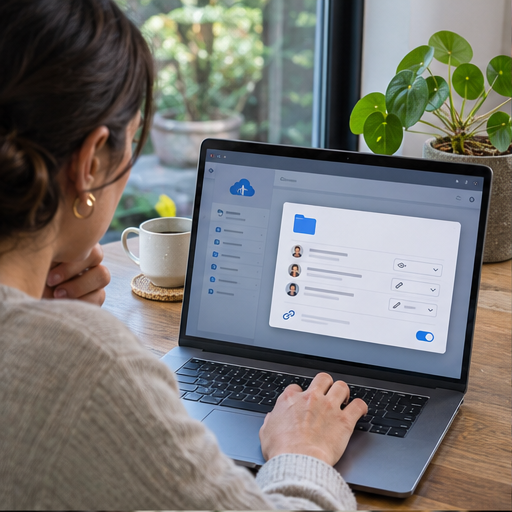
A message with many photos, videos or a large document may exceed the email service’s attachment limit. The permitted size varies by provider and organization. Save the attachment separately, then use an organization-approved cloud-sharing link if appropriate.
For confidential files, verify the recipient and permissions before sending a link. Our guide to checking OneDrive sharing access explains why this matters.
4. Review account sign-in and storage
An expired session, changed password, locked account or full mailbox may disrupt sending. If Outlook asks you to authenticate, sign in through your organization’s trusted Microsoft 365 page. Do not enter credentials into a link from an unexpected email. Contact IT for managed accounts with recurring authentication errors.
5. Test a small message
- Compose a new message to an email address you control.
- Enter a short subject such as Outlook send test.
- Write one short line without attachments.
- Send once and confirm it reaches Sent Items and the receiving mailbox.
If this small message succeeds while the original remains stuck, focus on the original message’s attachment, content or recipient rather than replacing the whole email account.
6. Retry carefully
Open the stuck message and inspect its recipients and attachments. In classic Outlook, Send/Receive → Send/Receive All Folders may retry the queue. In other Outlook versions, use the available sync/retry command. Avoid duplicating a message whose delivery status is uncertain.
7. Check service health for work accounts
For Microsoft 365 organizations, ask an administrator to review the Microsoft 365 service health dashboard and message trace when mail fails across many users. An individual user’s local reset cannot fix a tenant-wide service outage.
Symptoms and next checks
| Symptom | Start here |
|---|---|
| All mail stuck | Internet, sign-in, offline mode and service health |
| Only one large email stuck | Attachment size and message content |
| Works in web Outlook but not desktop | Desktop client sync and account configuration |
| Mail appears in Sent Items but not received | Recipient, spam filtering and admin delivery trace |
Frequently asked questions
Does Outbox mean the recipient received it?
No. Outbox normally contains mail waiting to send. Verify delivery separately.
Can a large attachment stop Outlook sending?
Yes. Try an attachment-free test and consult your provider’s file-size limits.
Should I delete the Outlook profile immediately?
No. That is a later troubleshooting step and may have side effects, especially for managed accounts or locally stored data.
Official Microsoft guidance
Microsoft: Outlook email stuck. Related business guide: sending Outlook meetings across time zones.